Make a one-line JSON API response readable
Wataru Watanabe · w22 digital lab · October 9, 2026
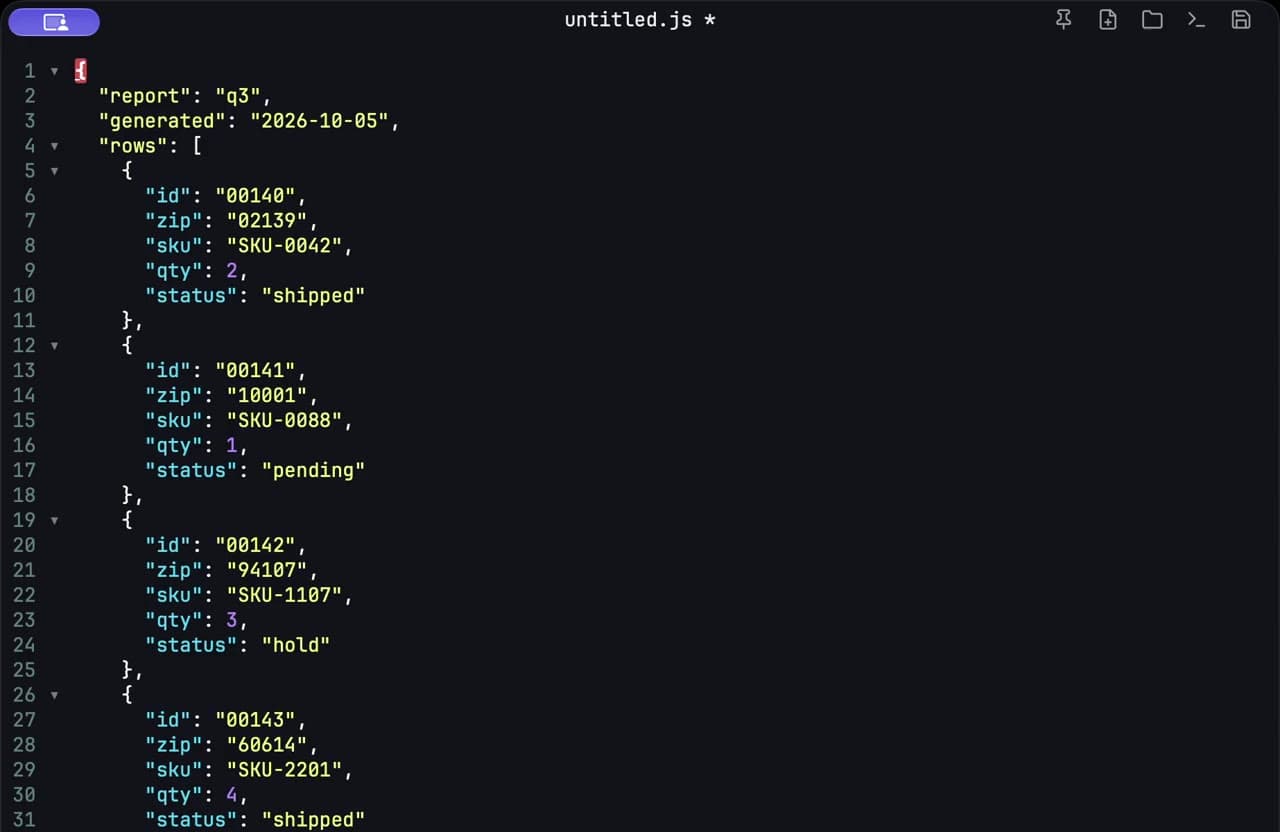
A JSON API response often arrives as one long line. I paste it into a scratch pad, format it, find the field I actually need, and copy that back. I do not open a project for a payload I am only trying to read.
Paste the line
I copy the response from the browser or the terminal and paste it into c0depad. Summoning the pad is a global hotkey, and the window stays on top of whatever I copied from. A short payload with the keys I end up scanning looks like this before it is formatted:
{"report":"q3","generated":"2026-10-05","rows":[{"id":"00140","zip":"02139","sku":"SKU-0042","qty":2,"status":"shipped"},{"id":"00141","zip":"10001","sku":"SKU-0088","qty":1,"status":"pending"}]}Format it, then scan the keys
Formatting breaks the line onto indented lines, and it stays on the Mac. Syntax highlighting makes the keys easier to separate from the values, which is the whole point of this detour.
{
  "report": "q3",
  "generated": "2026-10-05",
  "rows": [
    {
      "id": "00140",
      "zip": "02139",
      "sku": "SKU-0042",
      "qty": 2,
      "status": "shipped"
    },
    {
      "id": "00141",
      "zip": "10001",
      "sku": "SKU-0088",
      "qty": 1,
      "status": "pending"
    }
  ]
}
Now I can see report, generated, and a rows array. Each row has id, zip, sku, qty, and status. When the payload is longer than a screen, I use Find and search for the field name — status, or a value like pending — instead of scrolling the original line.
Copy back only what you needed
Sometimes I copy one value. Sometimes I copy the formatted object into a ticket so the next person can read it. The pad is not the API client. It is the place the text sits while I look at it.
Closing the window keeps the scratch text, so a half-read response is still there after a restart. When the text is a table instead of an object, I use the same paste-and-edit loop for CSV rows. When it is a formula, I break that onto lines too.