Edit nested Google Sheets formulas outside the formula bar
Wataru Watanabe · w22 digital lab · October 9, 2026
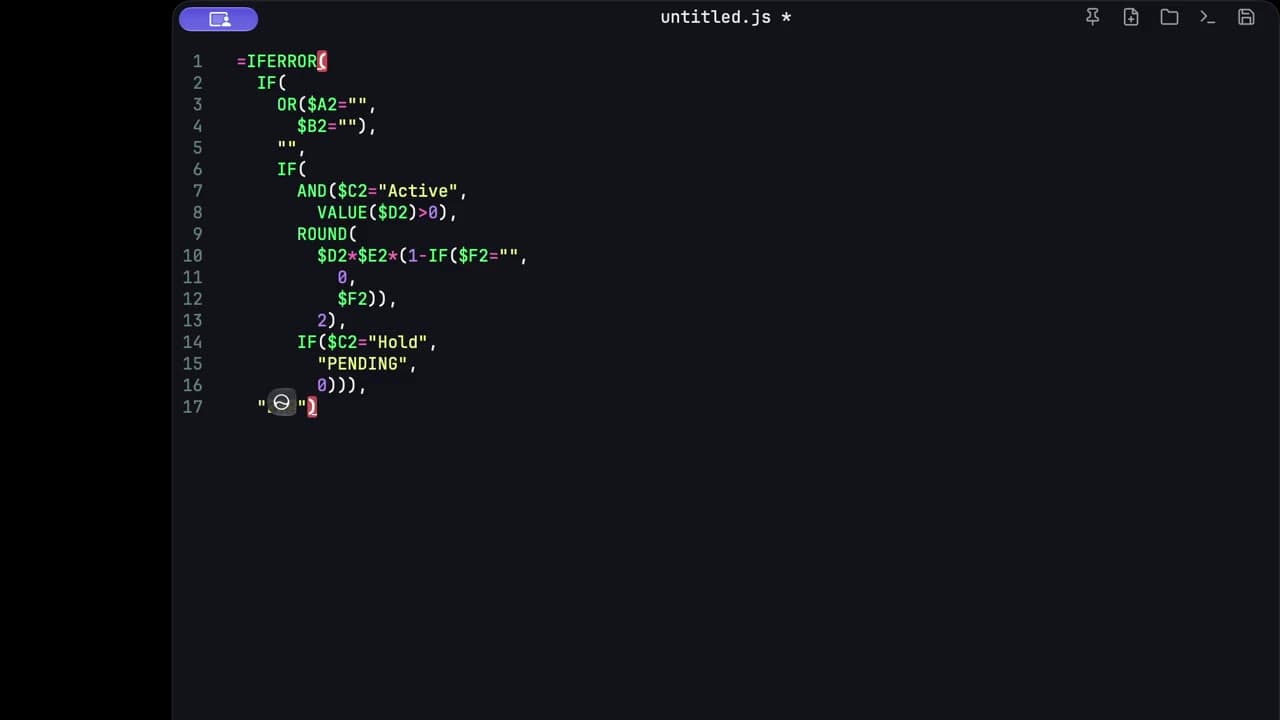
The formula bar is a bad place to read a nested IF. I copy the formula out, break it onto lines, fix the branch that is wrong, and paste it back into the cell.
Copy it out of the formula bar
In the sheet I select the formula and copy it. Then I summon c0depad over the browser. It is a floating pad on a global hotkey, and it stays on top, so the cell is still there when I look back.
A formula I keep having to reopen looks like this once it is flattened onto one line. The threshold and the column letters change from sheet to sheet. The shape is the part that is hard to read:
=IFERROR(IF(OR($A2="",$B2=""),0,IF(AND($C2="Active",VALUE($D2)>0),ROUND($D2*$E2*(1-IF($F2="",0,$F2)),2),IF($C2="Hold","PENDING",0))),"ERR")Break it onto lines
⇧⌥F formats the buffer onto lines. Formatting runs locally on the Mac, same as the rest of the editing. Nothing about this step talks to the spreadsheet.
=IFERROR(
  IF(
    OR($A2="", $B2=""),
    0,
    IF(
      AND($C2="Active", VALUE($D2)>0),
      ROUND($D2*$E2*(1-IF($F2="", 0, $F2)), 2),
      IF($C2="Hold", "PENDING", 0)
    )
  ),
  "ERR"
)
Syntax highlighting makes the strings stand apart from the cell references. That is enough. I am not asking the pad to understand Sheets. I am asking it to show me the parentheses.
Fix the branch you can see
On one line, the Hold result is buried after the ROUND. On separate lines I can check each decision:
Blank A or B returns 0. Active with a numeric D returns D × E, with a blank discount in F treated as 0. Hold returns the text PENDING. IFERROR turns a broken calculation into ERR.
The usual bug, for me, is a parenthesis that closes the inner IF too early, so Hold never runs. I fix that while the formula is still broken onto lines, then I read it once more from the top.
Paste it back
I copy the whole formula and paste it into the cell. Sheets stores the formula. If I need another pass later, I copy it out and format it again. Closing the pad does not throw the text away. Scratch text stays on the Mac.
Same habit works for a one-line JSON response or a CSV status column: get the text out of the tool that is bad at editing it, change it as text, put it back.